

Government . Enterprise UX
Baiterek Board System
Transforming governance for Kazakhstan's $20B
sovereign wealth fund - from physical binders to a system board members actually prefer.
60%
Faster Prep
80->15%
Downloads
4 yrs
In Production
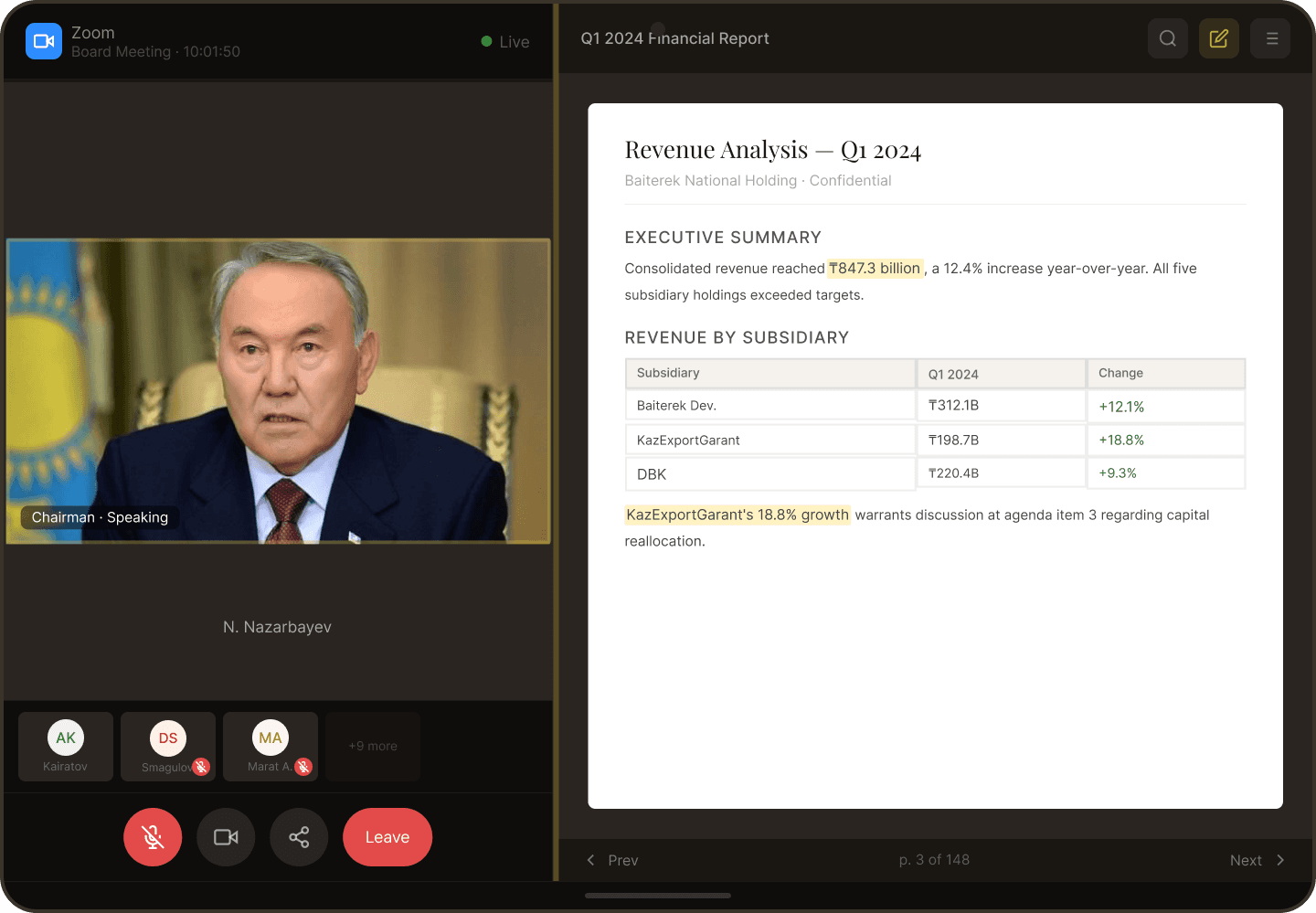
Role
Solo UX/UI Designer
Duration
~2 months (2020)
Platform
Web + Native iPad
Team
4 people
Scope
50+ screens
The Context
COVID
broke a system that worked
For years, Baiterek's board governance ran on physical binders - 200+ pages of
financial reports distributed before each meeting. Board members arrived, collected
their packs, and made billion-dollar decisions with paper in hand.
Then March 2020 happened. The binders couldn't be distributed. Twelve board
members scattered across home offices needed to govern remotely - securely, with
audit trails, and with the same rigor as before.
The Insight
"What does this square with numbers mean?"
- 62-year-old board member, former bank CEO, pointing at a calendar icon
He wasn't confused about technology. He was confused about us. We'd assumed our
visual language was universal. It wasn't. This moment became our core design
principle: every icon pairs with text. No exceptions.
The Reframe
Not digitizing binders -
recreating confidence
The physical binders had solved problems we didn't recognize as problems. The
weight told you how much reading was ahead. The tabs gave orientation. The shared
space meant everyone was literally on the same page.
What I assumed
Digital access to documents
Board members need a place to download PDFs
instead of receiving physical binders.
What was actually true
The feeling of readiness
Board members need to feel confident they have
everything needed to make billion-dollar decisions.
Key Decisions
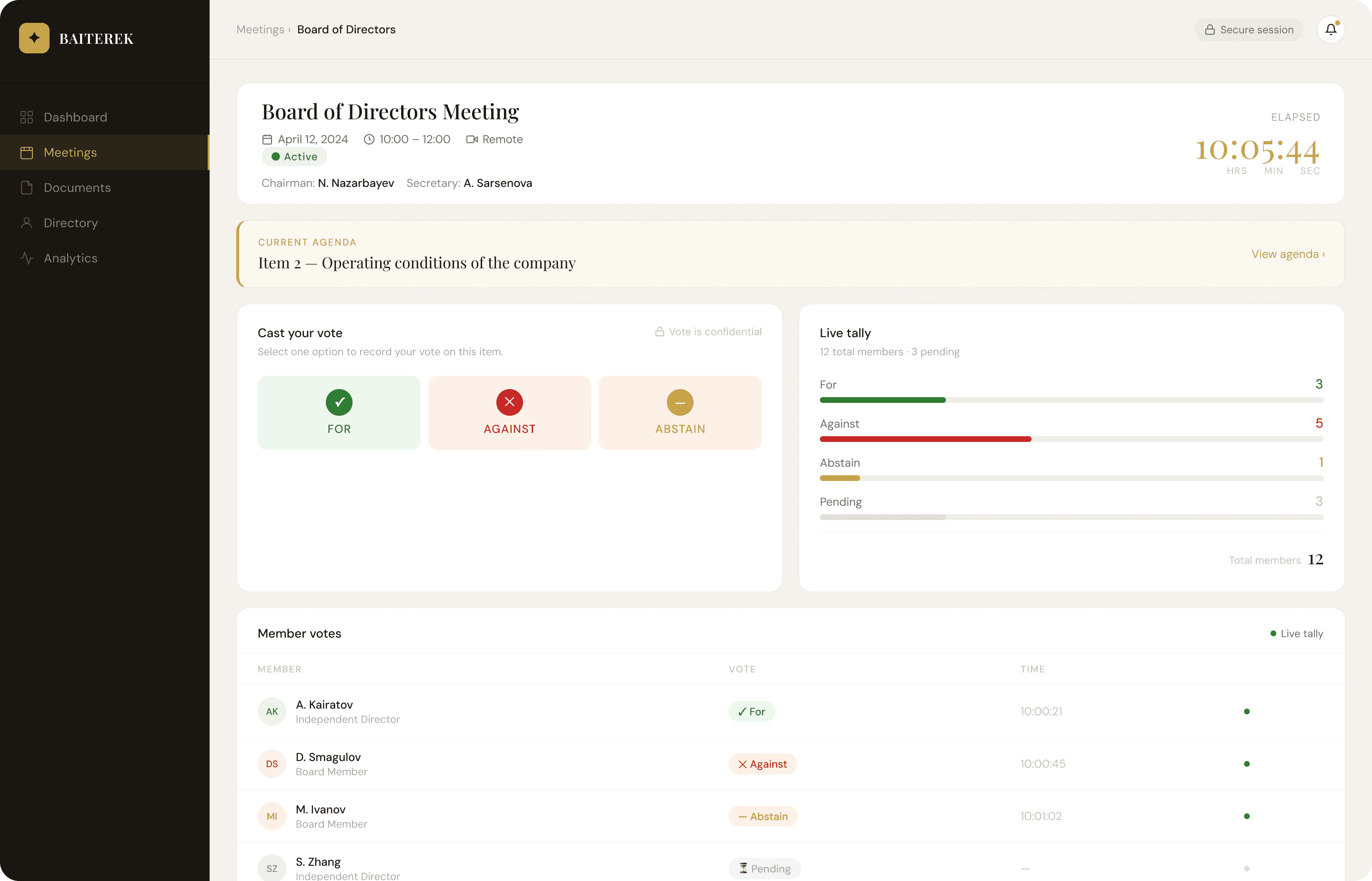
Three problems that shaped everything
Evolution
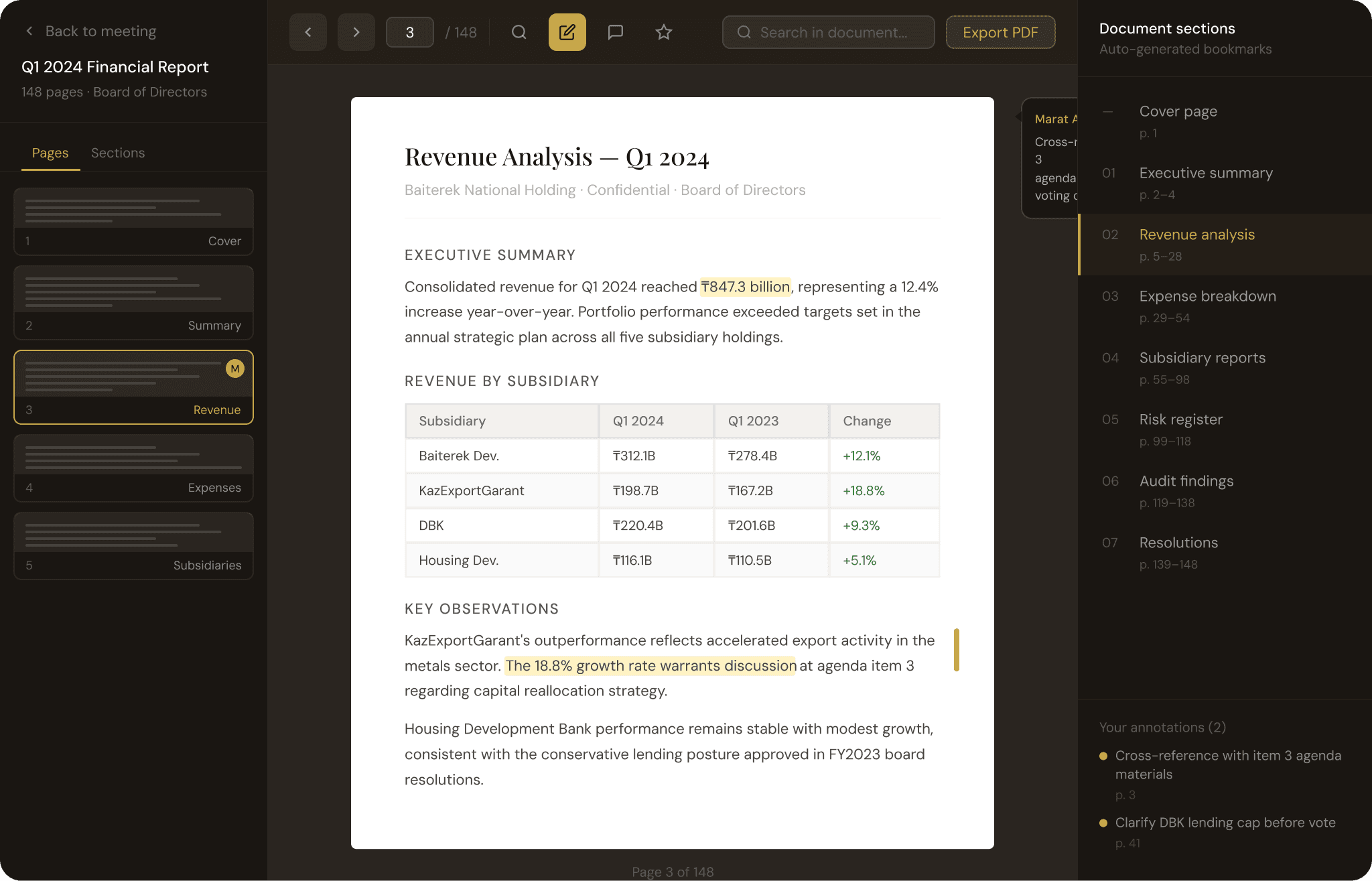
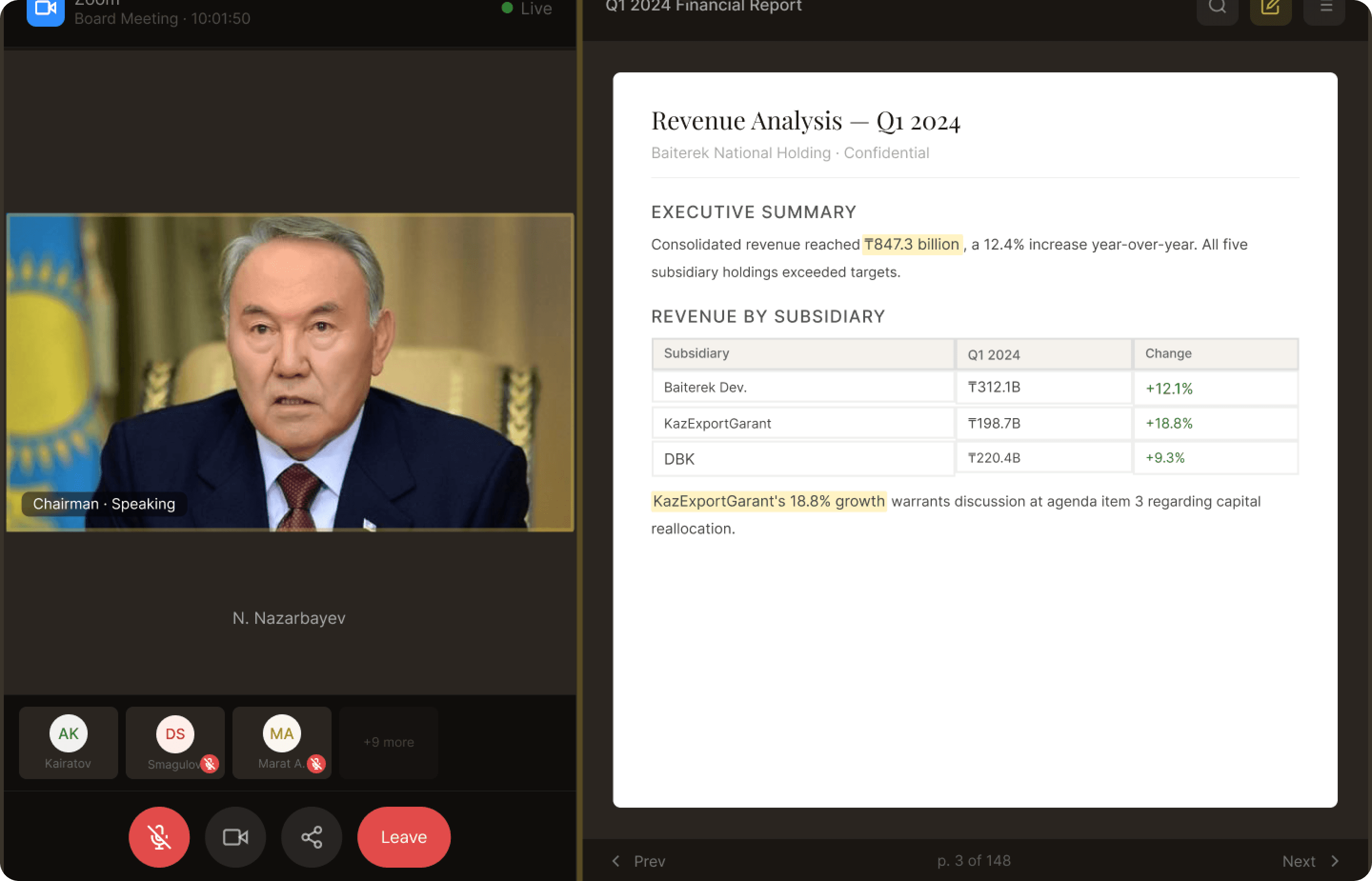
Document viewer transformation
The biggest change: from a basic browser PDF embed to a professional reading
experience that matched the physical binder.
47s
Average time before exit
->
Full
Reading sessions completed
What I added: Thumbnail navigation, auto-generated bookmarks, in-document
search, annotation tools, persistent scroll position. The goal: match the experience of
flipping through a physical binder.
Results
The Numbers
60%
Faster Prep Time
15 hrs -> 4-6 hrs
81%
Fewer External Downloads
80% -> <15%
Zero
Compliance Issues
Full audit trail
4 yrs
In Production
No major redesign needed
Impact
"Finally, software that doesn't make me feel old."
- The same board member who asked about the calendar icon
That's what good design does. Not just efficiency gains. Dignity.
Learnings
What I took away
1
Workarounds are data
The 80% download rate wasn't a bug report - it was behavior data. Users tell you what's broken
through actions, not complaints.
2
Dignity is a design requirement
When an experienced executive feels stupid using your interface, that's your failure, not theirs.
3
Test with real complexity
5-page test documents masked failures that only appeared with 100-page reports. Edge cases
are often the common case.
4
Data creates permission
Design rationale alone couldn't justify rebuilding the viewer. Workaround metrics and prototype
test results did.
Other Projects

E-Commerce
Clever Market
Kazakhstan's first same-day delivery marketplace. Designed trust when 77% of the population didn't shop online.
$50M
Acquisition
View Case Study

B2B Platform

Healthcare
VetTime
Pet healthcare platform. Emergency in under 60 seconds...
<60s
Emergency Booking
View Case Study

Academic | Gamification